Tampilkan postingan dengan label 4. Tampilkan semua postingan

Rabu, 12 Februari 2014

Camera360 Ultimate
Camera360 is the most popular photography app for Android. With over 150,000,000 users globally, Camera360 has become the most popular mobile camera app in the world.  This android apps also available for iOS and Windows Phone.  Download Camera360 Ultimate and enjoy it on your Android.

Together with HelloCamera, Movie360, and Pink360, Camera360 provides a comprehensive suite of professional yet fun mobile photography options.
To make your life even easier, Camera360 has introduced Camera360 Cloud, a cloud platform that can help you manage, edit, store, and share your photos all in one place. Join the millions of users who have already uploaded over 300 million photos in enjoying these services!

Apps feature:
1. New Halloween Effect is added to Effects shooting mode. Have fun and watch out.
2. Eight Shooting Modes that include: Sony camera mode, effects mode, self-portrait mode, quick-shoot mode, funny mode, tilt-shift mode, color-shift mode, audio camera mode and more!
3. Improved Effects with our third generation image processing engine that can make Effects even clearer and more colorful, creating thrilling photography experiences like never before.
4. Live Effects enables you to view in so real-time that you can shoot amazing photos much easier. **This feature’s performance varies according to device, and the viewing face might be a little blurry. You can turn off Live Effects in Settings. **
5. Camera360 Cloud which provides a safe and private platform for you to browse, manage, edit, and share your most favorite mobile photos (supports 2000 px photo uploads)
6. Easy Sharing options that can help you share your favorite photos with friends on Facebook, Twitter and more…

Screenshot:
Camera360 Ultimate - 8 Shooting modes


What is new in Camera360 for Android v4.7.8?
1. Interesting Halloween Effect is available in Effects shooting mode.
2. Some minor bugs are fixed and support for Sony Lens-styled camera is optimized.

Download file: 16MB


Download apk file

Read More..

Rabu, 05 Februari 2014

ezPDF Reader Multimedia PDF v2.4.0.0

Android Market App: 2.1

Android Market App: ezPDF Reader isa Selling, Best Rated Commented Multimedia PDF viewer, annotator, filler. basic ePub viewing .

Its PDF Player.

With our new PC authoring tools, create unlimited interactive PDF contents CLEAR.

IMPORTANT: iPhone New » Apk »ezPDF Reader Multimedia PDF v2.4.0.0 s Reader separately from Apple App Store. transferable.

Over 460,000 sold!

App Review

"Android Apps: 10 Low-Cost Mobile Tools Know About" (http://bit.ly/LJTtEH)

"Plenty readers devices, number . But ezPDF far bunch." Daniel A. Begun, author Android Apps

Customized Viewing DUAL PAGE VIEW supported!

Clearly presented without , documents appear would PC, but customized devices screen. Scanned based PDFs supported, including JPEG2000 compression. Select Text Reflow, F Text Column, Copy text view go Reading Direction reading

PDF Form Filler

Good forms, school tests, . Fill out form Reader. Sign, via email.

Multimedia PDF Viewer - Audio, Video, (using devices built-in Text-to-Speech feature)

plays multimedia files embedded in. Perfect solution based audio/video-enabled eBooks. (Multimedia file format must be compatible Android device, However, no support) Use Voice Reading feature documents read continuous automatic page-turning feature. ( TTS feature hardware settings)

Annotation New » Apk »ezPDF Reader Multimedia PDF v2.4.0.0

Useful tool text box notes; highlight, underline, out texts; draw rectangles, ovals drawings. Add memo & append images from camera shots, change color / thickness, resize them around like. All these comments® Acrobat®. (PC New » Apk »ezPDF Reader Multimedia PDF v2.4.0.0 )

Please download "ezPDF Reader Google Drive Plugin" App Drive. Dropbox integration included.

-Text View function. Night / Day Mode, Able font size (text )

-Thumbnail image view

-Search (Options sensitive, whole word, exact word, and/or operator) result

-Au Zoom-column article white margin

-Crop page

-Scroll lock / unlock

-Able text, save , web search, share apps, check (Support ColorDict)

-Support hyperlinks (Go within , Call PDF , URL links )

-Open Standard Password-protected PDF (A DRM protected PDF file would opened.)

-Intuitive bookmarking & viewing bookmarks description & thumbnail image

-Au Turn (in secs) Scroll (up a screen full)

-Table

-Page navigation scroll images

-Jump specific page Page Number

-Change reading direction - Arabic, Chinese, Japanese & Hebrew

-Undo & Redo button

-Support Trackball

-Page Turning Effect (Flip); turned off

-FREE PDF Con New » Apk »ezPDF Reader Multimedia PDF v2.4.0.0 PC Program (link )

-5-point-tap : Annotation Tool ON/OFF

-4-point-tap : Notification Bar ON/OFF

-3-point-tap : PDF view Reflow view

-2-point-tap : Reduces when enlarged

-1-point-tap : Toggles Menu ON/OFF

Whats New » Apk »ezPDF Reader Multimedia PDF v2.4.0.0 :

- New Feature, Seamless Continuous Page Scroll.

- Optimization x86 CUP.

- Optimization Galaxy Note 8 .1 2014 edition.

- New Setting, [Seamless Continuous Page Scroll].

- New Setting, [Page Interval].

- Stablilization .

s

/>

https://play.google.com/store/apps/d...android.reader

Download New » Apk »ezPDF Reader Multimedia PDF v2.4.0.0 Instructions:

http://hugefiles.net/3czxsw9i2883

Mirror New » Apk »ezPDF Reader Multimedia PDF v2.4.0.0 :

http://ul.to/gv12yxj6

Read More..

Sabtu, 01 Februari 2014


Google has a lot of work to with several reported Android 4.4 KitKat bugs by various sources. In November, Google launched its Android 4.4 KitKat exclusive for its Nexus devices such as Nexus 4, Nexus 5, Nexus 7 and Nexus 10.

After it arrived to its users, several complaint reports were made regarding issues with the software. A significant number of users demanded for an Android 4.4.1 KitKat update for bug fixes. Unsurprisingly, Google rolled out the Android 4.4.1 KitKat update a few weeks after. The update was aimed toward fixing camera issues of the Nexus 5, which was believed the greatest flaw of the device.
Then Google released the Android 4.4.2 KitKat, another update, for security reasons. This is the latest version of Android KitKat.
Nexus owners are truly having problems with the Android 4.4 KitKat as Google Product Forums are pretty loud about it. Apart from that, other complaints abound like the one from a Reddit user named lazy_elf, who painstakingly compiled a list of Android 4.4 KitKat issues on his Nexus 4 device. About 27 issues were identified, some were quite minor while others were too massive to ignore. In response to the post, other users started to post their own issues with the Android 4.4 KitKat.
Other problems mentioned were poor battery life, poor connectivity, UI flaws, among others. Also, Android Police claimed another audio bug on the Android 4.4 KitKat. Users are crying for another Android 4.4.3 KitKat update to fix these issues.
Although Google has not confirmed some of the issues on the Nexus 5, a new version of Android 4.4.2 KitKat update has been spotted lurking on the Nexus 5. It is not yet clear whether or not this update will be released to the public.
Google is known for being unpredictable, thus, users suffering from issues and problems need to endure and wait for updates or look for temporary fixes at the time being.
Read More..

Senin, 20 Januari 2014

 Name :  AntiVirus Security 3.4.2.1 For Mobile
Image source :www.avgmobilation.com

Format : java, jar, apk, ipa, ios, sis.

Tags :AntiVirus Security 3.4.2.1 download, download AntiVirus Security 3.4.2.1, AntiVirus Security 3.4.2.1 for nokia, samsung,micromax, blackberry, sony, android, ios, ipad, iphone, java, jar, ipa,descargar.

Review AntiVirus Security 3.4.2.1
  • AntiVirus Security 3.4.2.1 is one of the best software and most downloaded app developed by AVG Mobile.
  • AntiVirus Security 3.4.2.1 is available on different platforms like android, windows phone, black berry, Symbian, download AntiVirus Security 3.4.2.1 latest version.
  • Download latest version of  AntiVirus Security 3.4.2.1 and enjoy the application.

Advertisement

    
Download
1. Download AntiVirus Security 3.4.2.1 from Official website.
2.Vist Google Play.
Read More..

Rabu, 15 Januari 2014

Recent changes:
4.3.0
• Organize your books, magazines and documents into collections
• Improved support for Talkback and Explore by Touch
• Turn publisher fonts on or off
• Rate the book before you go
This version of the app requires that customers log in to migrate their collections from other devices. If you encounter difficulties please reach out to customer support at amazon.com/help/kindle. 


Size: 29 MB
Android Requires :Varies with device+

More Info on Google Play:
https://play.google.com/store/apps/details?id=com.amazon.kindle


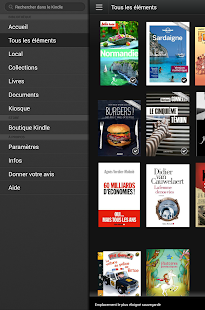
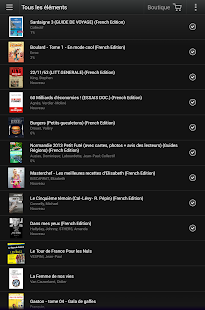
Kindle - screenshot thumbnailKindle - screenshot thumbnailKindle - screenshot thumbnailKindle - screenshot thumbnailKindle - screenshot thumbnailKindle - screenshot thumbnailKindle - screenshot thumbnailKindle - screenshot thumbnail


The Kindle app puts over a million books at your fingertips. It’s the app for every reader, whether you’re a book reader, magazine reader, or newspaper reader—and you don’t need to own a Kindle to use it. Choose from over a million Kindle books from the Kindle Store or enjoy popular magazines like The Economist and Reader’s Digest with high-resolution color images.*

• Read Free Books—Choose from thousands of free ebooks such as Pride & Prejudice or The Adventures of Sherlock Holmes.

• Shop for Books—Easily shop for ebooks, including new releases and New York Times Best Sellers.

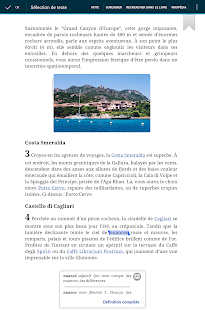
• Use the Built-In Dictionary, Google, and Wikipedia—The Kindle app has a built-in dictionary that allows you to look up words instantly while you’re reading your ebooks. Simply tap and hold a word to view its definition or use the Google and Wikipedia links to get more information.

• Sync Your eBooks—The Kindle app lets you read the same book across devices and automatically syncs where you left off so you can start reading on one device and pick up where you left off on another device. The app syncs your furthest page read, bookmarks, notes, and highlights between Android, PC, Mac, iPad, iPhone, iPod touch, BlackBerry, Windows Phone 8, and any of our Kindle devices using our Whispersync technology. 

• Sample Books Before You Buy—Read the first chapter of a book for free before you decide to buy.

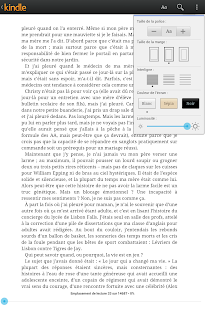
• Customize Your Reading—Choose your preferred font size, screen brightness, background color, and orientation (portrait or landscape) to read your books.

• Borrow eBooks from the Library—Check out ebooks from your local library and have them delivered wirelessly to your Kindle app.

• Read print replica textbooks on Android tablets. Print Replica Kindle books maintain the rich formatting and layout of their related print editions and provide features to help students study smarter including ability to highlight passages, add margin notes, and search for keywords. Whispersync technology saves and synchronizes your bookmarks, notes, and highlights across your devices.

* Selection for U.S. users only; selection and price of ebooks and e-periodicals vary by country.

How To Download In
How To Download In
How To Download In
How To Download In
how-to-download-in-tusfiles
Read More..

Rabu, 08 Januari 2014

The Canadian version of Samsung Galaxy Note 3 with model number SM-N900W8 has already received the latest Android 4.3 Jelly Bean update with firmware build number N900W8VLUBMJ4. The new official firmware is currently available as an Over-The-Air (OTA) update as well as through Samsung KIES.

Samsung Galaxy Note 3 (Canadian) SM-N900W8 users who have already installed their devices with Android 4.3 Jelly Bean, may root their devices using the tutorial below.

This tutorial uses CF-Auto-Root file released by Elite Recognized XDA-Developers, Chainfire. The CF-Auto-Root file allowing Galaxy Note 3 users to root their devices easily without depending on the firmware. It completely supports Android 4.3 Jelly Bean and future firmware as well. Head over to the CF-Auto-Root main thread to learn more about the root method.

Disclaimer: Rooting voids the warranty of your device. We and the developer of this rooting procedures shall not be held responsible if any undesirable outcomes may happen to your device. use of this root guide is solely at your own risk!

Pre-requisites
1. Install USB Driver for Samsung Galaxy Note 3 on the computer.
2. Enable USB Debugging Mode on the phone by navigating to Settings >> Developer Options.
3. Make a backup of all your important data before following the guide.
4. Ensure the battery of the phone is charged more than 80 percent.
5. The CF-Auto-Root file works only on the Canadian version of Samsung Galaxy Note 3 (SM-N900W8). Applying this to any incorrect variant might brick the device. Verify the model number of the Galaxy Note 3 by navigating to Settings >> About Phone.

File Required
1. CF-Auto-Root for Galaxy Note 3 (Canadian) SM-N900W8 (CF-Auto-Root-hltecan-hlteub-smn900w8.zip)
2. Odin 3.07

Steps to Root Galaxy Note 3 (Canadian) SM-N900W8 Running on Android 4.3 Jelly Bean Firmware
Step 1: Extract CF-Auto-Root and Odin 3.07 files using winrar/7zip/winzip or any other extracting tool.
Step 2: Switch off the Galaxy Note 3. Then boot the device into Download Mode by pressing and holding Volume Down, Home and Power buttons together until a construction Android robot icon with a warning triangle appears on screen. Now press the Volume Up button to enter Download Mode.
Step 3: Launch Odin on the computer as an Administrator.
Step 4: Connect the Galaxy Note 3 to the computer using USB cable while it is in the Download Mode. Wait until Odin detects the device. When the device is connected successfully, the ID: COM box will turn to light blue with the COM port number. Additionally, the successful connected will be indicated by a message saying Added.

Note: If the Added message does not appear, then try re-install USB drivers or changing the port on the computer.

Step 5: In Odin, click the PDA button and select the CF-Auto-Root-hltecan-hlteub-smn900w8.tar.md5 file.
Step 6: Verify that Auto Reboot and F. Reset Time checkboxes are selected in Odin. Also, ensure the Re-Partition option is NOT selected.
Step 7: Double-check and click Start button in Odin. The installation process will now begin.
Step 8: Once the installation process is completed, your phone will restart and soon you will see a PASS message with green background in the left-most box at the very top of the Odin. You can now unplug the USB cable to disconnect your device from the computer.

Samsung Galaxy Note 3 (Canadian) SM-N900W8 running on Android 4.3 Jelly Bean firmware is now rooted successfully. You can now install any app that requires root permission. Verify the root status of the device by downloading Root Checker app from Google Play Store.

Thanks to all fellas at XDA who first tried out this rooting technique. This method was originally posted via XDA-Developers original thread.
Read More..

Selasa, 07 Januari 2014

Owners of the Samsung Galaxy S2 Plus with model number GT-I9105P has got its first software update based on Android 4.2.2 Jelly Bean with firmware build number I9105PXXUBMG8. The new software update is now available as an Over-The-Air (OTA) update as well as through Samsung KIES.

Samsung Galaxy S2 Plus I9105P users who have already updated their devices with Android 4.2.2 XXUBMG8 Jelly Bean, may root their devices using the tutorial below.

Disclaimer: Rooting voids the warranty of your device. We and the developer of this rooting procedures shall not be held responsible if any undesirable outcomes may happen to your device. use of this root guide is solely at your own risk!

Pre-requisites
1. Install USB Drivers for Samsung Galaxy S2 Plus on the computer.
2. Enable USB Debugging Mode on the phone by navigating to Settings >> Developer Options.
3. Make a backup of all your important data before following the guide.
4. The Galaxy S2 Plus should be factory unlocked and not locked to any particular carrier.
5. Ensure the battery of the phone is charged more than 80 per cent.
6. The CWM Recovery and SuperSU files works only on Samsung Galaxy S2 Plus I9105P. Applying these to any incorrect variant might brick the device. Verify the model number of the Galaxy S2 Plus by navigating to Settings >> About Phone.

File Required
1. CWM Recovery - Mirror (Jerry_recovery.tar.md5)
Note: Please rename the .tar.md5 to .tar
2. SuperSU (UPDATE-SuperSU-v1.51.zip)
3. Odin 3.07

Steps to Install CWM Recovery on Galaxy S2 Plus I9105P
Step 1: Extract Odin 3.07 file using winrar/7zip/winzip or any other extracting tool.
Step 2: Switch off the Galaxy S2 Plus. Then boot the device into Download Mode by pressing and holding Volume Down, Home and Power buttons together until a construction Android robot icon with a warning triangle appears on screen. Now press the Volume Up button to enter Download Mode.
Step 3: Launch Odin on the computer as an Administrator.
Step 4: Connect the Galaxy S2 Plus to the computer using USB cable while it is in the Download Mode. Wait until Odin detects the device. When the device is connected successfully, the ID: COM box will turn blue with the COM port number. Additionally, the successful connected will be indicated by a message saying Added.

Note: If the Added message does not appear, then try re-install USB drivers or changing the port on the computer.

Step 5: In Odin, click the PDA button and select the Jerry_recovery.tar file.
Step 6: Verify that Auto Reboot and F.Reset Time checkboxes are selected in Odin. Also, ensure the Re-Partition option is not selected.
Step 7: Double-check and click Start in Odin. The installation process will now begin.
Step 8: Once the installation process is completed, your phone will restart and soon you will see a PASS message with green background in the left-most box at the very top of the Odin. You can now unplug the USB cable to disconnect your device from computer.

Steps to Root Galaxy S2 Plus I9105P by Installing SuperSU via CWM Recovery
Step 1: Connect the Galaxy S2 Plus to the computer using USB cable.
Step 2: Copy the UPDATE-SuperSU-v1.51.zip file to internal SD card of your phone.
Step 3: Once the file transfer process is completed, switch off the phone and disconnect it from computer.
Step 4: Boot the device into CWM Recovery by pressing and holding Volume Up, Home and Power buttons together.
Step 5: Select install zip from sdcard and then choose zip from sdcard. Now, navigate to the UPDATE-SuperSU-v1.51.zip file that you copied earlier and confirm the installation.
Step 6: Once installation process is completed, return to main recovery menu and select Reboot System Now.

Samsung Galaxy S2 Plus I9105P running on Android 4.2.2 XXUBMG8 Jelly Bean firmware is now rooted successfully. You can now install any app that requires root permission. Verify the root status of the device by downloading Root Checker app from Google Play Store.

Thanks to all fellas at XDA who first tried out this rooting technique. This method was originally posted via XDA-Developers original thread.
Read More..

Sabtu, 04 Januari 2014

Good news for Samsung Galaxy Note N7000 owners, the official Android 4.1.2 Jelly Bean with base firmware DXLSE is now available for download through Samsung KIES as well as Over-The-Air (OTA) update in Southeast Asia countries including Indonesia, Malaysia, Philippines, Singapore,Vietnam and Thailand.

Firmware details
PDA: N7000DXLSE
CSC: N7000OLBLSE
Version: Android 4.1.2
Built date: March, 2013
Regions: Indonesia, Malaysia, Philippines, Singapore, Vietnam, Thailand

Features Included:
- Multi-View (Multi-Windows Multitasking, same as in Galaxy Note 2)
- Page Buddy
- New Gallery App (Same as in Galaxy Note 2)
- Notification Panel (Can now be customized)
- Brightness Slider in Notification Panel can now be disabled
- Smart Rotation
- Continues Input in Samsung Keyboard (Like Swipe or Android 4.2 Keyboard)
- Samsung’s Cloud services
- Direct Call, Smart Stay and Pop-up Play Features
- New Widgets from the Galaxy S3
- 2 Home screen modes
- Google Now

The Galaxy Note N7000 users who failed to receive the OTA update notification or unable to access the update over Samsung KIES can download and install the same manually, using our step-by-step guide.

Pre-requisites
1) Install USB Driver for Samsung Galaxy Note on the computer.
2) Enable USB Debugging Mode. [Press Menu >> Settings >> Applications. From there navigate and tap on Development option and ensure the USB Debugging is turned on.]
3) Make a backup of all your important data before following the guide.
4) The Galaxy Note should be factory unlocked and not locked to any particular carrier.  
5) Ensure the battery of the tablet is charged more than 80 per cent.
6) The Android 4.1.2 DXLSE Jelly Bean firmware is compatible only with Samsung Galaxy Note N7000 and installing this on any incorrect variant will brick the device. Therefore, verify the model number of the Galaxy Note by navigating to Settings >> About Phone. 

Steps to Install Android 4.1.2 DXLSE Jelly Bean on Samsung Galaxy Note N7000
Step 1: Download Android 4.1.2 DXLSE Jelly Bean (Mirror Link) firmware for Samsung Galaxy Note N7000 to the computer. Then extract the downloaded zip to get a file with .tar or .tar.md5 extension along with few other files 
Step 2: Download Odin 3.07 which will help to install the Jelly Bean firmware
Step 3: Switch off the Galaxy Note. Then boot the device into Download Mode by pressing and holding Volume Down + Home buttons together and then press the Power button until the device turns on. Now press the Volume Up button to enter Download Mode
Step 4: Launch Odin on the computer
Step 5: Connect the Galaxy Note to the computer using USB cable while it is in the Download Mode. Wait until Odin detects the device. When the device is connected successfully, the ID: COM box will turn yellow with the COM port number. Additionally, the successful connected will be indicated by a message saying Added. If Odin fails to detect the device then re-install USB driver.
Step 6: Select the files, which are extracted from the N7000DXLSE Jelly Bean folder, to install on the phone
  • Click on PDA and select the file with .tar or .tar.md5 extension
  • Click on Phone and select file with MODEM in its name
  • Click on CSC and select file with CSC in its name
  • Click on PIT and select the .pit file
Note: Ignore the steps b, c and d in case such files are not found.
Step 7: In Odin, verify the Auto Reboot and F. Reset Time checkboxes are selected. Also verify that the Re-Partition option is unchecked 
Step 8: Double check everything and click the Start button in Odin to begin the firmware flashing. Upon the completion of the installation process, a message saying PASS will appear 
Step 9: The phone will restart automatically. Once the home screen appears, safely unplug the USB cable from the phone to disconnect it from the computer

Samsung Galaxy Note N7000 should be now updated with official Android 4.1.2 DXLSE Jelly Bean. Head over to Settings >> About Phone to verify the software version running on the device.

Click here to know How to Root Galaxy Note N7000 running on Android 4.1.2 DXLSE Jelly Bean firmware.
Read More..

Jumat, 03 Januari 2014

Samsung Galaxy Note 2 with LTE connectivity (GT-N7105) has received the Android 4.3 Jelly Bean update with base firmware XXUEMK9. The new official firmware is now available in Germany as an Over-The-Air (OTA) update as well as through Samsung KIES.

Firmware details
PDA: N7105XXUEMK9
CSC: N7105DBTEMK1
MODEM: N7105XXUEMJ9
Version: Android 4.3
Build date: Nov 20, 2013
Regions: Germany

Samsung Galaxy Note 2 (LTE) N7105 users who missed the OTA update notification or unable to access the update over Samsung KIES, and those who are residing outside Germany can now download and install the same manually, using our step-by-step guide.

Pre-requisites
1. Install USB Drivers for Samsung Galaxy Note 2 on the computer.
2. Enable USB Debugging Mode on the phone by navigating to Settings >> Developer Options.
3. Make a backup of all your important data before following the guide.
4. The Galaxy Note 2 should be factory unlocked and not locked to any particular carrier.
5. Ensure the battery of the phone is charged more than 80 percent.
6. The Android 4.3 XXUEMK9 Jelly Bean firmware is compatible only with the LTE version of Samsung Galaxy Note 2 (GT-N7105). Applying this to any incorrect variant might brick the device. Verify the model number of the Galaxy Note 2 by navigating to Settings >> About Phone.

Files Required
1. Android 4.3 XXUEMK9 Jelly Bean Firmware (Mirror Link) for Galaxy Note 2 (LTE) N7105
2. Odin 3.07

Steps to Update Galaxy Note 2 (LTE) N7105 with Android 4.3 XXUEMK9 Jelly Bean Firmware
Step 1: Extract Firmware zip file using winrar/7zip/winzip or any other extracting tool, you will get a .tar.md5 file and some other files.
Step 2: Extract Odin zip file and you will get Odin3 v3.07.exe along with few other files.
Step 3: Switch off the Galaxy Note 2.
Step 4: Boot the device into Download Mode by pressing and holding Volume Down and Power buttons together until a construction Android robot icon with a warning triangle appears on screen. Now press the Volume Up button to enter Download Mode.
Step 5: Run Odin on the computer as an Administrator.
Step 6: Connect the Galaxy Note 2 to the computer using USB cable while it is in the Download Mode. Wait until Odin detects the device. When the device is connected successfully, the ID: COM box will turn to light blue with the COM port number. Additionally, the successful connected will be indicated by a message saying Added.

Note: If the Added message does not appear, then try re-install USB drivers or changing the port on the computer.

Step 7: Select the following files in Odin from extracted N7105XXUEMK9 firmware folder:
  • Click the PDA button and select the .tar.md5 file.
  • Click the Phone button and select file with MODEM in its name. Ignore if there is no such file.
  • Click the CSC button and select file with CSC in its name. Ignore if there is no such file.
  • Click the PIT button and select the .pit file. Ignore if there is no such file.
    Step 8: In Odin, enable Auto Reboot and F. Reset Time checkboxes. Also, ensure the Re-Partition checkbox is chosen only if a .pit file was chosen in the previous step.
    Step 9: Verify everything suggested in Step 7 and Step 8 is done correctly. Then hit the Start button to begin the installation process.
    Step 10: Once the installation process is completed, your phone will restart and soon you will see a PASS message with green background in the left-most box at the very top of the Odin. You can now unplug the USB cable to disconnect it from the computer.

    Samsung Galaxy Note 2 (LTE) N7105 should be now updated with official Android 4.3 XXUEMK9 Jelly Bean. Head over to Settings >> About Phone to verify the software version running on the device.

    Note: If Galaxy Note 2 (LTE) N7105 stuck at booting animation after Step 10 then go to recovery mode (press and hold the Volume Up and Power buttons together) and perform Wipe data/Factory Reset and Wipe Cache Partition task before selecting reboot system now function. In recovery mode use Volume keys to navigate between options and Power key to select the option. Please note, performing wiping task will erase your device internal memory data and not external SD card data.

    Click here to know How to Root Galaxy Note 2 (LTE) N7105 running on Android 4.3 Jelly Bean firmware.
    Read More..

    Rabu, 18 September 2013


    SPB Shell 3D: next generation user interface. Add a new dimension to your phone! 3D reality for you phone. Add a new dimension to your Android!

    Features:
    3D Home screen/launcher
    Smart folders
    3D widgets
    Collection of panels and widgets


    SPB Shell 3D Reviews:

    "Butter-like smoothness" - Engadget
    "As useful as it is gorgeous" - ZDNet
    "Absolute Must-Have for every Android user!" - Gizmodo
    "Looks Incredible And Runs Smoothly" - LAPTOP Magazine
    To launch SPB Shell 3D press the Home button once installation is completed.
    If you are not able to launch SPB Shell 3D, please use "Home Switcher" application from Android Market.

    Use Lucky Patcher to Remove Verification or Install Google Play by Chelpus

    Click Here To Download


    Read More..

    Selasa, 27 Agustus 2013


    CBR Reader Pro 1.4.3 APK
    CBR Reader Pro is *the* new Comic Reader for Android Tablets and Phones.

    Features (so far)
    - full tablet support
    - optional navigation via gestures
    - optional navigation via height adjustable buttons
    - left-to-right and right-to-left reading
    - multiple bookmarks per comic
    - opens CBR and CBZ files
    - comic cover gallery
    - double-page support
    - free multitouch zoom
    - supports portrait and landscape mode


    Download Here
    http://ul.to/as79clas
    Read More..

    Jumat, 16 Agustus 2013


    Requirements: Android 2.1+
    Overview: Get the most fun and exciting free-kick game of the season on Android!

     Use Flick Soccers unique after-touch ball control to try and hit the target like a real Pro.
     Only Flick Soccer gives you this level of complete control and pinpoint accuracy.
     Featuring 5 modes of play, gorgeous graphics and an intelligent goalkeeper, Flick Soccer really is one of a kind.
     Features
     * Full Fat Flick Controls mean everyone can play!
     * Shoot for insane scores in Quickshot mode, its you vs the keeper.
     * Take it to the limit in Endurance mode, set piece action with bonus items!
     * Try out Challenge mode for the ultimate skill contest.
     * Have you got the accuracy to hit the bar? Find out in Crossbar mode.
     * Smash It! breaking glass panels against the clock.
     * Unbelievably accurate flick controls for stunning top-corner shots.
     * The most realistic goalkeeper on the Android Market.
     * Interactive defenders will jump and react to shots.
     * Gorgeous visuals and immersive sound
     This season there will be a new champion walking away with the title!

     What the Press Say
     Tapscape: "Flick Soccer is a flawless handheld game."
     Edge: "Flick Soccer has a great way of getting players into the zone quickly, and keeping them there... in full flow, it can provide a magical experience."
     Eurogamer: "just like Flick Golf, the tough part is finding the time to stop playing."
     Pocket Gamer: "If youre a fan of flicking balls towards targets - and, lets face it, who isnt? - this is the best way to do it."

     Whats in this version:
     Minor graphical fixes
     More reliable Licensing

    More Info:
    Code:
     https://market.android.com/details?id=com.fullfat.android.flicksoccer
    Download Instructions:
    http://www.MegaShare.com/4175687
    Read More..

    Rabu, 14 Agustus 2013

    Airline Flight Status Tracker v1.3.4
    Requirements: Android 2.2+
    Overview: FlightHero is a flight-tracking app that provides a real time flight status information and helps you to know flight status, lets you to track a flight

    [break]
    ✈ Flight Status Tracker for all Airports and Airlines with Weather & TripIt Sync
    ✈ FlightHero is a flight-tracking app that provides a real time flight status information and helps you to know flight status, lets you to track a flight. Aware of the fact that is also shows a real time flight-board with arrivals and departures, airport traffic delays and a current airport weather in addition to a 10 day detailed weather forecast and synchronizes with your TripIt account(via In-App TripIt Sync AddOn).
    These features let FlightHero to be one of the best travel apps:
    ★ THE LARGEST COVERAGE FOR THE FLIGHTS, AIRPORTS AND AIRLINES
    ✔ 1550 airlines: commercial, cargo, charters
    ✔ 16227 airports around the world, including:
    • USA (5639)
    ✔ Find closest airports to you within 140 miles(200 km)
    ★ REAL TIME FLIGHT BOARD WITH ARRIVALS AND DEPARTURES
    ✔ Refreshes regualarly with the ability to cache data when there is no internet connection available
    ✔ Advances sorting order
    ✔ Advanced filters: airlines, statuses, arrival and departure information and time range for the most effective sky scanning
    ★ FLIGHT STATUS
    ✔ Actual position of the aircraft (inbound or outbound USA) or approximate position in other cases for the most accurate flight control. Use it as your personal virtual flight radar to know the aircraft speed, latitude, longitude and the altitude
    ★ AIRPORT WEATHER AND TRAFFIC DELAYS
    ✔ 10 day detailed weather forecast helps you stay dry when you grab your kayak for fishing on vacation
    ✔ Delay on a 5-point scale with the 0.25 step
    ✔ Actual Temperature
    ✔ Wind speed and direction
    ★ SHARE INFORMATION ON FLIGHT STATUS
    • SMS
    • Email
    • Twitter
    • Facebook
    ★ TERMINAL PLANS
    ✔ Download all at once from the “Settings”. Available only for major termiinals
    ★ SEARCH
    ✔ By number
    ✔ By route
    ✔ Recently Used list
    ★ FAVORITES
    ✔ Add Flights
    ✔ Add Airports
    ★ TripIt Sync
    ✔ Synchronization with your TripIt account (Available through In-App)
    ★ SKINS
    ✔ Day
    ✔ Night
    ★ MULTILINGUAL
    ✔ 29 Languages

    https://play.google.com/store/apps/details?id=com.ik.flighthero
    Download Zippyshare
    Read More..

    Sabtu, 10 Agustus 2013

    Download JDownloaderRcPro v1.5.4 APK. JDownloader Remote Client Pro. Full control on JDlownloader from your android phone : - Current downloads. - Links with full text parsing. - Stop/Start/Restart/Shutdown. - Set speed limit / max downloads. - Premiums accounts. - Integration with navigator for sharing links. - Compatibility with nightly build. - Rss reader & link checker.

    mirror
    Read More..

    Senin, 29 Juli 2013

    Great Big War Game v1.4.6 APK Free Download

    Great Big War Game v1.4.6 APK Free Download
    Requirements: Android 2.3+
    Overview:▶ GAME OF THE YEAR, WINNER !!

    Great Big War Game v1.4.6 APK Taking military "advice" from the ridiculous generalissimo, can you battle your way through this truly massive, content-packed military campaign?

    ▶ STRATEGY GAME OF THE YEAR, WINNER !!
    (Mobile category, IGN 2012)

    ▶ BAFTA NOMINATED
    Plan your mission, deploy your "forces", try not to fall off the sofa laughing!

    ▶ "An essential download for any strategy fan" - Gamers Temple
    ▶ "A deep and rewarding experience" - Game Dynamo
    ▶ "You’ll love to sink your teeth into this great game" - Android Authority

    Youve plenty of units to play with, covering land, sea and airborne combat. Be warned though, these funny cartoon troops are not exactly "the right stuff"!

    ▶ "It’s simply an amazing turn-based strategy game" - Touch Arcade
    ▶ "Its the real deal" - Slide To Play
    ▶ "This is a wonderful game, accessible yet challenging" - Gamezebo

    40+ hours of campaign mode not enough? There is also unlimited skirmish play vs the AI for quick fixes, on a wide variety of custom maps.

    And theres still more - Multiplayer. You can Pass & Play on a single device, or join our thriving online community, playing head to head at a pace that suits you.

    ▶ "This game plays beautifully and looks fantastic" - App Advice
    ▶ "Not downloading it is damn near criminal" - MoDojo
    ▶ "Just buy it, plain and simple" - IGN

    Whats in this version:
    (1.4.6)
    * Added better sized GUI graphics to 1080p devices (fixes postage stamp menu screen layout).
    (1.4.5)
    * 1.4.4 version would wipe game progress if it was too old. *fixed*
    (1.4.4)
    * Further fix on GUI rendering and water on Samsung devices with the newer firmware update - this should cover them all now.
    (1.4.2/3)
    * Fixed the problem we introduced to devices with Mali GPU (like Samsung Galaxy S II/III) with 1.4.1. Sorry about that!

    Download Great Big War Game v1.4.6 APK here:
    http://www37.zippyshare.com/v/77509970/file.html

    Sd Data: (same as v1.4.5)
    http://www32.zippyshare.com/v/75798386/file.html
    Read More..

    Sabtu, 27 Juli 2013

    Download No Root Screenshot It v3.4 APK. Take a screenshot of your phones screen. Root is NOT required. A SCREENSHOT APP THAT DOESNT REQUIRE ROOT No Root Screenshot It is an application that lets you take screenshots of your phone. This application works on ALL phones. Root is NOT required.

    mirror
    Read More..

    Jumat, 19 Juli 2013

    The Simpsons™: Tapped Out APK v4.2.4 Mod
     

    The Simpsons™: Tapped Out APK v4.2.4 Mod
    Requirements: 2.3.3+
    Overview: THIS GAME IS LIFE-RUININGLY FUN! Homer accidently caused a meltdown that wiped out Springfield. D’OH! Now, it’s up to you to rebuild it! From the writers of The Simpsons, tap into a city building game that lets you create your own living, breathing Springfield... for FREE.

    HOW FUN IS IT? LET US COUNT THE WAYS!

    1. First, you can get it for free!
    2. Make Springfield just like you want it.
    3. Help Homer find Marge, Bart, Lisa, and the rest of his family and friends! (Ned Flanders, too.)
    4. Complete tasks to earn… mmm, donuts!
    5. Make Apu work ridiculously long shifts at Kwik-E-Mart.
    6. Grow and harvest Tomacco on Cletus’s Farm.
    7. Party down with Duffman at Duff Brewery.
    8. See how your Indolence, Consumerism,and Gluttony stack up on the Conform-o-meter.
    9. Enjoy exclusive animated scenes sure to please fans of TV’s longest-running comedy.
    11. And did we mention… it’s free to play?

    SPRINGFIELD NEVER LOOKED SO GOOD
    With HD graphics – you’ll get an eyeful of greener greens, yellower yellows, and more.

    IS THAT ALL? Of course not! Did you know that you can even play this game in French, Italian, German, Spanish, Simplified Chinese, and Korean?

    But who wants to read all this text on a screen? So you should CHECK OUT THE SCREENSHOTS because the screenshots really sell it… even though we really don’t have to sell this game… because it’s FREE!

    **This game downloads additional content on first launch that can be up to 175MB based on device. We recommend connecting to WIFI the first time you play. This game is also supported with regularly occurring content updates that require additional downloads when released. Please be patient while it loads (we promise it’s worth the wait).**

    Notes:
    – You must have an Internet connection to play, so please make sure your device is connected.
    – Android does not currently enable players to visit their friends’ Springfields.
    – Game saves are not supported across multiple devices (each device will have its own save file).

    Whats in this version:
    Take your town to the next level! Level 29 is here with Agnes Skinner, new buildings, quests and more.
    • Buildings: Watch performances at the Open Air Stage, shop at the Sprawl-Mart and enjoy Silhouette Night at the Skinner House.
    • Character: Have Agnes win at bingo and taunt the elderly.
    • Decorations: Increase your vanity with the Springfield Park Entrance and Cobblestone Walls.
    • Quests: Will mother and son be a happy family or will Agnes drive Skinner out of house and home?

    Shopping Mod:
    You can buy any item in game without Donuts or Cash.

    DOWNLOAD
    Read More..